 +1 (800) 844-6603
 Follow Us






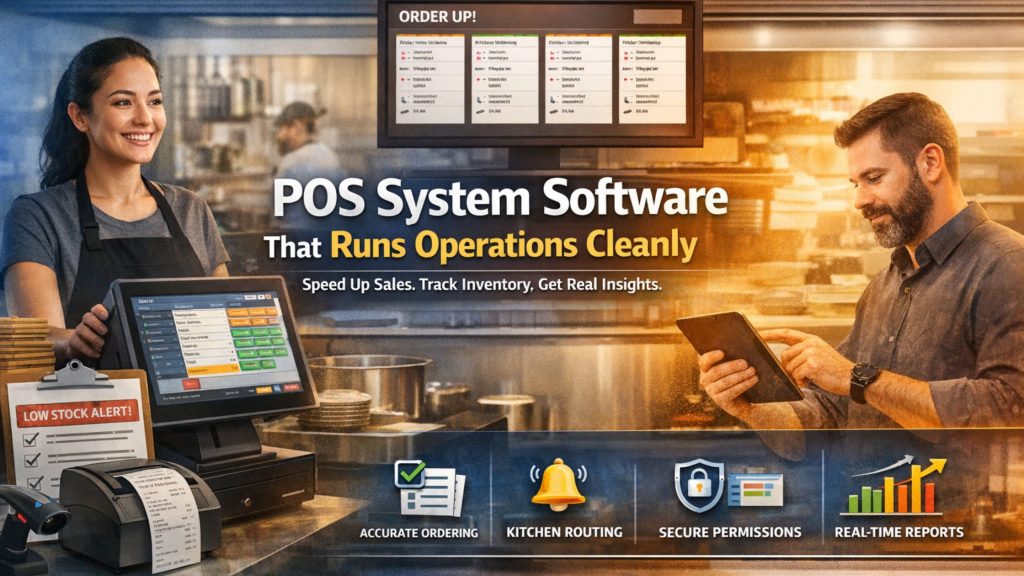
When you choose POS system software, you want more than a billing screen and receipt printer. You want a system that protects speed during rush hours, keeps teams aligned, and turns daily transactions into operational clarity. Therefore, the right POS becomes the backbone of how your business runs, not just how it collects payments.
At the same time, you should expect disciplined workflows from day one. Moreover, you should expect stable performance, clean data, and predictable controls across staff members and shifts. A well-structured POS setup helps you reduce order mistakes, tighten modifier handling, and keep kitchen routing consistent.
What “POS System Software” Should Actually Deliver
When businesses invest in POS system software, they expect reliability. Therefore, the system should enforce structure instead of relying on memory or improvisation. Look for outcomes that support real operations:
i. Clear ordering workflows, so staff move quickly without confusion and new hires learn faster
ii. Accurate kitchen routing, so items reach the right station every time and tickets don’t get misplaced
iii. Consistent modifier handling, so instructions stay clear under pressure and remakes drop
iv. Reliable reporting, so decisions rely on patterns and proof, not assumptions
v. Controlled permissions, so sensitive actions stay protected and accountability stays clear
When POS software delivers these outcomes consistently, teams work faster, errors reduce, and managers regain visibility across shifts and service types. Learn more about Online POS System & Retail POS Software Guide.
When POS System Software Becomes Essential
If you operate in a fast-moving environment, POS system software must match your service model. Different use cases require different strengths, and alignment matters. Businesses typically rely on POS systems to support:
A. Structured Order Management
You can manage dine-in, takeaway, pickup, and delivery orders without mixing steps. Additionally, you can apply consistent modifiers and notes, so kitchen teams always receive clear instructions. As a result, order accuracy improves and remakes decline.
B. Kitchen and Service Coordination
You can route items to the correct preparation areas automatically. Moreover, you can control ticket flow and timing, which reduces bottlenecks during peak sessions. Therefore, service remains smooth even when volume increases.
C. Inventory-Driven Operations
You can connect sales to stock usage and track movement accurately. Additionally, you can monitor critical items and identify variance early. Consequently, inventory planning becomes proactive instead of reactive.
D. Managerial Oversight and Control
You can track sessions, terminals, and staff activity without micromanaging. Furthermore, you can review patterns across shifts and days. As a result, leadership decisions stay grounded in real performance signals.
Therefore, when you deploy POS system software, it should support your exact service flow and turn daily activity into repeatable systems.
The Functional Roles Inside a Reliable POS Environment
Strong POS performance depends on defined system roles. Therefore, your software should support structured access without slowing teams down. A well-designed POS environment typically includes:
- Cashier-level access for fast, focused order entry and clean checkout
- Supervisor-level controls for exceptions, approvals, and quick problem handling
- Manager-level permissions for reports, edits, overrides, and daily oversight
- System-level configuration access for long-term setup, menu logic, and workflow rules
Moreover, when roles stay clear, teams move faster because everyone knows what they can do. Consequently, accountability improves, errors reduce, and operational risk drops across locations and shifts.

Pre-Configuration That Prevents Daily Friction
You can eliminate many problems before service even begins. Consequently, POS setup should focus on prevention, not fixes. You should lock these elements early:
a) Ordering logic: You should define item groups, modifiers, and defaults clearly. Then you should ensure staff can move through orders without hesitation.
b) Routing rules: You should assign items to the correct preparation points. Additionally, you should confirm that tickets display essential details clearly.
c) Permissions and limits: You should restrict sensitive actions such as voids, refunds, and overrides. Therefore, controls stay consistent even when staff rotates.
d) Reporting structure: You should choose reports that answer operational questions, not just financial totals. As a result, reviews become actionable.
When POS system software is configured with intention, daily operations feel lighter and more predictable.
Daily Execution That Feels Organized, Not Stressful
A strong POS system creates calm during busy hours. Therefore, execution should follow a predictable rhythm that teams can repeat under pressure. With the right setup, teams can:
- Enter orders quickly using clear, familiar screens that reduce hesitation
- Apply modifiers consistently across all staff, so kitchen instructions stay clear
- Route tickets automatically to the correct station without manual follow-ups
- Close payments smoothly across different methods, even during rush periods
- Maintain accuracy even as order volume increases and service speeds up
Moreover, when workflows stay consistent, training becomes faster because staff follows one clear process. Consequently, mistakes decrease, confidence improves, and teams handle peak service with less stress and more control.
Turning Transactions Into Improvement Signals
POS data only matters when it leads to better decisions. Therefore, POS system software should make patterns easy to spot, not hard to find. You should review:
- Sales by session and service type
- Performance differences between shifts
- Frequency of voids, edits, and cancellations
- Item-level trends and usage patterns
Then, you should act on what the data reveals. For example, you can adjust staffing for peak sessions, tighten discount and void controls, simplify slow menu sections, or refine modifier rules that cause repeat mistakes. Moreover, you can retrain teams using real examples, so improvements stick faster.
Conclusion
If you want POS system software built around structured workflows, reliable routing, and actionable reporting, explore ORO POS by OroCube. ORO POS helps you standardize ordering screens, control modifiers, and keep dine-in, pickup, and delivery workflows organized instead of improvised. Moreover, its KDS support strengthens kitchen visibility, while inventory workflows help you track usage and reduce stock surprises. Consequently, teams move faster with fewer errors, and managers gain clearer oversight across sessions and shifts. Therefore, if you want calmer rush hours, cleaner operations, and a POS system that scales with discipline, choose ORO POS by OroCube.