 +1 (800) 844-6603
 Follow Us






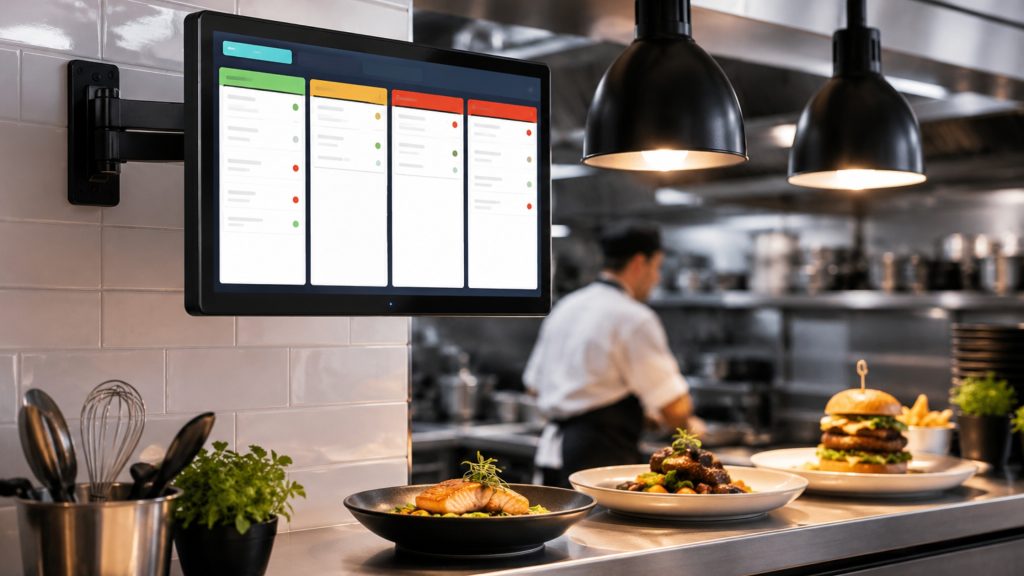
A kitchen display system (KDS) is a digital screen installed in a restaurant kitchen that receives orders directly from the POS, replacing paper tickets. It routes items to the correct cook station, color-codes tickets by wait time, and lets staff confirm order completion—reducing errors and improving front-of-house to back-of-house communication.
What Is a Kitchen Display System and Why It Replaces Paper Tickets
A kitchen display system (KDS) is a screen-based order management tool that sits between your point of sale (POS) system and your cook line. When a server enters an order or a guest submits one online, the KDS fires that order to the kitchen instantly—no handwriting, no lost tickets, no shouting across the pass.
Paper tickets create two persistent problems: they get lost or misread, and they give the front of house (FOH) no real-time visibility into back of house (BOH) progress. A 2022 survey by Toast found that 85% of restaurant operators reported that technology improvements directly reduced service errors. Switching from paper to digital order management is the single fastest way to close the FOH-BOH communication gap. Every second a paper ticket sits unread is a second added to your ticket time.
How a KDS Works: Order Flow From POS to Cook Line
When a cashier or server submits an order in the POS, the system pushes that order over your local network or cloud connection to one or more KDS screens. Each screen is assigned to a specific station—grill, fry, salad, expo—so only relevant items appear at each display. This is called multi-station routing, and it eliminates the confusion of every cook seeing every item on every ticket.
Staff confirm completed items using either a bump bar (a dedicated hardware controller with physical buttons) or a touchscreen interface. Once all items on a ticket are bumped, the order moves to an expo or runner screen. Restaurant365 notes that this digital confirmation loop creates a real-time status trail that paper tickets cannot replicate. The result is a kitchen where every station knows exactly what to cook, in what order, and how long each ticket has been waiting.
Key Features to Evaluate Before You Buy
Not all KDS platforms offer the same capabilities. Before you commit to hardware or a software subscription, verify the following against your specific operation:
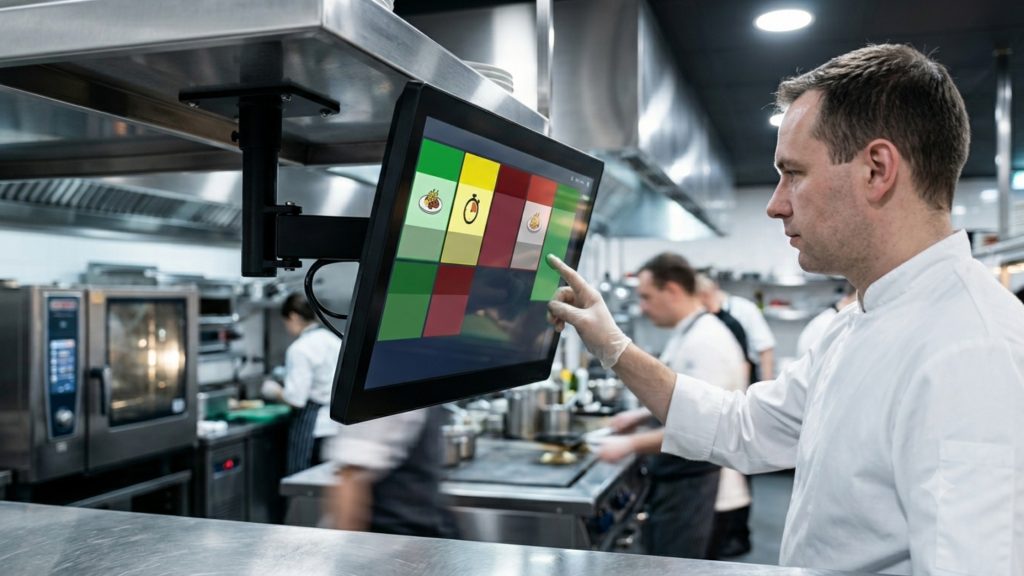
- Color-coded ticket aging — tickets change color (typically green → yellow → red) as wait time increases, giving cooks instant visual priority cues
- Multi-station routing — orders split automatically by menu category or station assignment
- Offline mode — the system continues displaying and accepting bumps if the internet drops
- Display size and resolution — minimum 15-inch screen recommended for line environments; 4K resolution reduces eye strain on dense ticket layouts
- Bump bar vs. touchscreen — bump bars are faster in high-volume QSR environments; touchscreens offer more flexibility for full-service kitchens
POS Integration Compatibility
A KDS is only as reliable as its connection to your POS. Native integrations—where the KDS is built by the same vendor as the POS—deliver tighter data sync and single-vendor support. Square KDS integrates natively with Square for Restaurants at $20 per screen per month. Toast’s KDS works natively within the Toast ecosystem. Lavu POS supports both its own display solution and select third-party screens. Lightspeed Restaurant connects to several hardware partners through its API. If your POS is not on a vendor’s native compatibility list, confirm third-party API support before purchasing any hardware—mismatched integrations are the leading cause of KDS deployment failures. For a broader comparison, see the best POS systems for restaurants.
Hardware Considerations: Screen Size, Durability, and Mounting
Kitchen hardware must survive heat, grease, and moisture. Look for screens with an IP54 rating or higher, which indicates protection against dust and water splashes. Elo touchscreen displays are widely used in commercial kitchen environments because of their sealed bezels and chemical-resistant surfaces. Epson TrueOrder KDS units are popular in quick-service restaurant (QSR) settings for their compact footprint and bump bar compatibility.
Mounting options include under-shelf brackets, pole mounts, and wall mounts. Full-service kitchens typically mount screens at eye level near the expo station. QSR cook lines often use overhead pole mounts so multiple staff can view the same screen simultaneously. WebstaurantStore recommends choosing a mount that allows 15–30 degrees of tilt adjustment to minimize glare from overhead lighting.
Kitchen Display System Cost: What Restaurants Actually Pay
How much does a kitchen display system cost? Most restaurants pay $200–$800 per screen for hardware, plus $20–$80 per screen per month for software. Square KDS starts at $20 per screen per month with compatible hardware available separately. Mid-tier systems from vendors like Epson TrueOrder or Elo typically run $400–$700 per unit. Enterprise or custom-integrated systems can exceed $1,000 per screen. Installation and network setup adds $150–$500 depending on your existing infrastructure. A two-station setup (grill + expo) typically costs $600–$1,600 upfront and $40–$160 per month ongoing.
| Tier | Hardware (per screen) | Monthly SaaS (per screen) | Best For |
|---|---|---|---|
| Entry | $200–$400 | $20–$30 | Independent, 1–2 stations |
| Mid | $400–$700 | $30–$60 | Fast-casual, 2–4 stations |
| Enterprise | $700–$1,200+ | $60–$80+ | Multi-unit, high volume |
Is a KDS Worth the Investment? ROI Metrics to Track
A KDS delivers measurable returns across three operational categories: speed, accuracy, and labor efficiency. Restaurants that implement a KDS typically reduce average ticket time by 10–20%, according to SynergySuite’s analysis of KDS deployments across independent and chain operators. Order error rates drop because staff read from a standardized digital display rather than deciphering handwritten tickets.
Labor savings come from reduced re-fires and comped meals. A single re-fired entrée costs an average of $8–$15 in food cost alone—before accounting for the labor and table delay. If your kitchen fires three incorrect orders per shift, eliminating even two of them pays for a mid-tier KDS subscription within weeks. Track these four metrics before and after implementation: average ticket time, order error rate, food waste cost, and customer satisfaction scores. For a small or independent restaurant, a single-screen entry-level KDS typically reaches ROI within 60–90 days of consistent use.
Choosing the Right KDS for Your Restaurant Type
Your service model determines which KDS features matter most. Use this framework before contacting any vendor:
Quick-service restaurants (QSR) process high order volumes with short prep times. Prioritize bump bar hardware, fast screen refresh rates, and multi-lane routing. Epson TrueOrder and purpose-built QSR systems from POSGuys-listed vendors are strong fits here.
Fast-casual restaurants need a balance of speed and menu complexity. Multi-station routing and color-coded aging are essential. Square KDS or Toast KDS work well when paired with their respective POS ecosystems.
Full-service restaurants benefit most from expo-screen functionality and FOH status visibility. Elo touchscreen displays with customizable station layouts handle complex ticket structures effectively. Explore how front of house and back of house operations interact to identify your specific routing needs.
Ghost kitchens run multiple virtual brands from one BOH. Look for KDS platforms that support brand-level ticket filtering and integrate with third-party delivery aggregators. Robust restaurant order management software is equally critical in this environment.
Implementation Checklist: Getting Your KDS Live Without Downtime
A rushed KDS rollout creates more disruption than the paper system it replaces. Follow this checklist to go live without service interruption:
- Network audit — confirm your router supports dedicated VLAN or static IP assignment for each KDS screen; minimum 25 Mbps upload speed recommended for cloud-based systems
- POS configuration — map every menu item to the correct station before installation day; untested routing is the most common cause of launch-day errors
- Hardware placement test — mount screens in position one week before go-live and verify sightlines from each cook position
- Staff training — run a 30-minute hands-on session with each shift; focus on bump bar operation, re-open procedures for accidentally bumped tickets, and offline mode behavior
- Parallel run period — operate KDS and paper tickets simultaneously for 3–5 shifts; this catches routing gaps without risking service quality
- Go-live sign-off — have a manager present for the first full service on KDS-only; document any routing errors for same-day POS correction
A parallel run period is the single most underused best practice in KDS deployment. It costs one week of extra paper but eliminates the risk of a full-service failure on day one. Build it into your project timeline as a non-negotiable step, not an optional buffer. Review your full restaurant technology stack to ensure the KDS fits within your broader infrastructure before committing to any vendor.
Frequently Asked Questions
1. How much does a kitchen display system cost for a restaurant?
Most restaurants pay $200–$800 per screen for hardware and $20–$80 per screen per month for software. A two-station setup typically costs $600–$1,600 upfront plus $40–$160 per month. Square KDS is one of the most affordable entry points at $20 per screen per month.
2. What is a kitchen display system and how does it work in a restaurant kitchen?
A KDS is a digital screen that receives orders from your POS and displays them at the appropriate cook station. Staff use a bump bar or touchscreen to confirm completed items. The system color-codes tickets by wait time and routes items by station, replacing paper tickets entirely.
3. Is a KDS worth the investment for a small or independent restaurant?
Yes, for most operations. A single-screen entry-level KDS typically reaches ROI within 60–90 days by reducing order errors and re-fires. Even eliminating two incorrect orders per shift can cover the monthly software cost of a basic system.
4. What POS systems are compatible with kitchen display systems?
Square, Toast, Lavu, and Lightspeed all offer native or supported KDS integrations. Native integrations provide tighter data sync and single-vendor support. Always confirm API compatibility if your POS and KDS are from different vendors.
5. What hardware do I need to run a kitchen display system?
You need a KDS display screen (15-inch minimum recommended), a mounting solution, and either a bump bar or touchscreen interface. The screen must connect to your local network via ethernet or Wi-Fi. Most systems also require a compatible POS subscription on the software side.
6. How does a KDS reduce order errors between front and back of house?
A KDS eliminates handwriting, illegible tickets, and physical ticket loss. Every order displays as standardized text with modifier details clearly visible. Staff confirm completion digitally, creating a status trail the FOH can reference in real time—closing the communication gap between FOH and BOH.
7. What is the difference between a KDS and a kitchen printer?
A kitchen printer produces a physical paper ticket that cannot be updated or tracked after printing. A KDS displays orders digitally, allows real-time status updates, supports multi-station routing, and provides ticket-time data for performance tracking. A KDS also eliminates paper and ink costs over time.
8. How do I choose the right KDS for a quick-service versus full-service restaurant?
QSR operations should prioritize bump bar hardware, fast refresh rates, and high-volume routing. Full-service restaurants benefit more from touchscreen interfaces, expo-screen functionality, and FOH visibility features. Ghost kitchens need brand-level ticket filtering and delivery platform integration above all else.