 +1 (800) 844-6603
 Follow Us





In today’s fast-paced retail and restaurant landscape, a robust online pos system retail pos system, pos system for sales management, pos system software play a crucial role in ensuring business efficiency and scalability. Whether you run a café, boutique, or multi-location store, choosing the right POS system can dramatically improve operations, customer experience, and profit margins. It also helps you reduce billing errors, track inventory in real time, manage staff performance, and make faster decisions using accurate reports. When you standardize sales workflows, you create consistency across counters, shifts, and locations.
This guide dives deep into the features, benefits, and practical uses of a modern online POS system. Additionally, we examine the powerful ORO POS platform by OROCUBE LLC—a leading solution designed to streamline sales and operations for retail and hospitality businesses worldwide. Along the way, you will learn what to prioritize, how to compare options, and how to choose a POS that supports growth without adding complexity to daily work.
What Is an Online POS System & Why It Matters
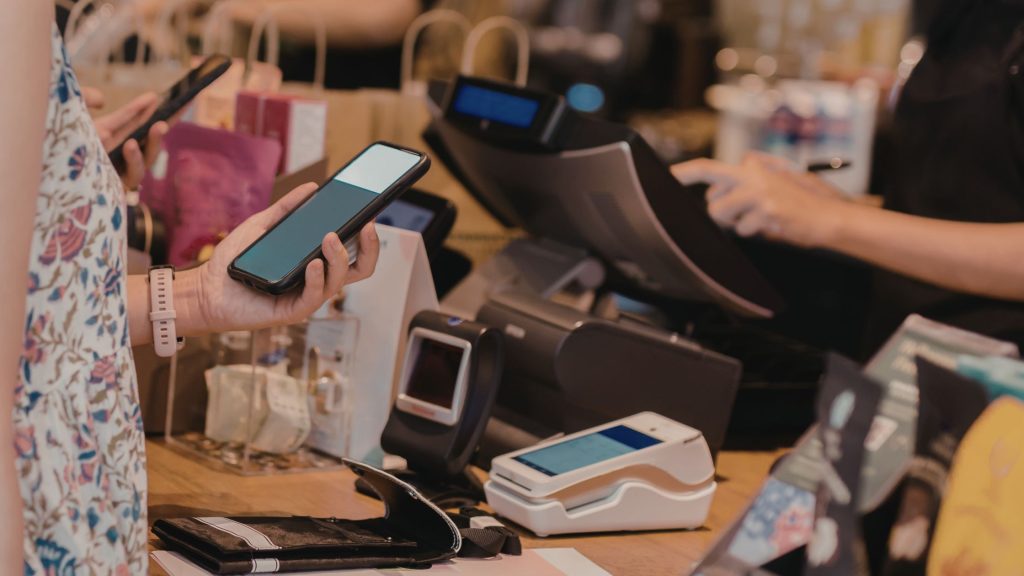
An online POS system is a cloud-connected point-of-sale solution that tracks sales, inventory, customer data, and employee performance in real time. It replaces outdated cash registers with smart, scalable software that runs on tablets, desktops, and mobile devices. Because it connects to the cloud, you can access your system from anywhere with internet access.
With this capability, businesses no longer struggle with disconnected systems or fragmented reporting. Instead, they enjoy synchronized sales data, easy updates, and secure storage. Most importantly, an online POS system boosts accuracy, cuts human error, and speeds up checkout. Learn more about Online POS System.
Core Advantages of a Retail POS System
A retail POS system centralizes pricing, inventory, and customer data, delivers real-time sales insights, automates tracking, integrates payments and loyalty tools, improves accuracy, and enhances customer experience while streamlining daily operations.
- Real-Time Reporting: Generate instant sales reports and monitor daily, weekly, and monthly performance.
- Automated Inventory Alerts: Receive low-stock notifications to prevent stockouts, unexpected shortages, and lost sales.
- Customer Data Management: Build detailed customer profiles to personalize promotions and improve retention.
- Multi-Location Control: Manage multiple stores from a single dashboard with synchronized data.
- Secure Payment Processing: Protect transactions with encrypted payment gateways and role-based access controls.
Together, these advantages empower retailers to operate smarter, respond faster, and drive sustainable business growth, increased profitability, stronger customer loyalty, and long-term operational success. Learn more about Retail POS System.
What Makes POS System Software Essential for Sales Management?
Businesses today need more than simple cash register replacement—they need POS system software that supports sales management from start to finish across every counter, shift, and location. This includes:
- Inventory Control: Automatically track stock across locations.
- Sales Analytics: Get insights into daily sales, peak hours, and top-selling items.
- Employee Tracking: Monitor employee clock-in/out and productivity.
- Customer Engagement: Manage loyalty, coupons, and purchase history.
When you adopt quality POS system software, your back-office operations become smarter. You’ll reduce shrinkage, prevent overselling, and improve customer satisfaction. Ultimately, strong sales management software helps you make data-backed decisions that support profit and growth.
ORO POS by OROCUBE for Retail & Restaurants
One of the standout online pos system retail pos system, pos system for sales management, pos system software solutions is ORO POS from OROCUBE LLC. This platform supports various business types, from small retail outlets to bustling restaurants, pizza shops, quick-service cafés, and more. It also suits growing brands that need reliable billing, centralized reporting, and better inventory visibility across teams and shifts.
It offers a powerful hybrid model that runs locally or connects to the cloud, ensuring uninterrupted performance even when internet connectivity fluctuates. With cloud sync, you get unified control over your entire operation while maintaining fast local processing speeds. As a result, you maintain accuracy, reduce downtime, and keep every location aligned with the same real-time business data.
Top Features of ORO POS System Software
Here’s a breakdown of the key features that make ORO POS a complete, scalable, and future-ready solution for modern retail and restaurant businesses.
1. Fast & Efficient Order Processing
ORO POS lets your team take orders quickly with touchscreen support and a streamlined, intuitive interface. Your checkout becomes significantly faster and smoother, which keeps queues short and customers consistently satisfied.
2. Cloud Integration & Offline Mode
Even if the internet goes down, the system continues to operate without interruption and maintains complete transaction accuracy at all times. Once connectivity returns, data syncs seamlessly to the cloud without any manual intervention required.
3. Inventory Management Tools
With a retail POS system like ORO POS, you can efficiently manage multi-location stock, create purchase orders, track vendors, and count inventory with greater accuracy, improved visibility, and stronger operational control.
4. Employee Efficiency & Tracking
The system records employee attendance, sales performance, and tips with complete accuracy and transparency. Managers can easily adjust entries, monitor productivity trends, and generate detailed payroll reports in minutes.
5. Integrated Gift Cards & Coupons
Boost customer retention by issuing gift cards and creating discount codes directly within the POS, while running targeted promotional campaigns and personalized loyalty rewards to increase repeat purchases and long-term engagement.
6. Online Order & Delivery Support
You can receive online orders and send tickets to kitchen displays or printing stations automatically with real-time order tracking and status updates. This is essential if you operate delivery or pickup services efficiently and at scale.
7. Barcode & Scale Integration
This is crucial for retail businesses handling high-volume transactions daily. ORO POS supports barcode scanning and connects with digital scales for accurate product pricing and precise weight-based calculations.
These features come together to create a robust POS system for sales management, letting you automate routine work and focus on growth.
How ORO POS Improves Daily Operations
A modern online POS system transforms how your business runs every day by improving speed, accuracy, and visibility across every transaction and workflow. With ORO POS, you can:
- Speed up transaction times.
- Reduce manual inventory mistakes.
- Monitor sales trends and performance.
- Automate managerial tasks like payroll and reporting.
- Offer faster, smoother customer service.
As a result, your operation becomes more efficient at every level—front end, back office, and strategic planning.
Business Types That Benefit Most
ORO POS is flexible enough for many business categories, ranging from small independent outlets to multi-location enterprises across retail, hospitality, food service, and specialty store environments.
A. Retail Stores
Effortlessly manage hundreds of products with smart barcode scanning, real-time inventory reporting, and automated stock control for smoother daily operations.
- Smart pricing updates.
- Centralized product catalog.
- Bulk stock adjustments.
- Detailed sales summaries.
B. Restaurants & Cafes
Streamline service with interactive kitchen displays, flexible order modifiers, and fast receipt printing for a seamless dining experience.
- Faster table turnover.
- Accurate kitchen tickets.
- Custom order notes.
- Smooth split billing.
C. Pizzerias & Specialty Pizza Restaurants
Handle complex menu customizations, split toppings, combo deals, and real-time delivery tracking with complete accuracy and speed.
- Split topping control.
- Combo deal setup.
- Real-time delivery view.
- Fast repeat orders.
D. Take-Out & Delivery Services
Receive and process online orders instantly with live notifications, automated ticket routing, and efficient order management.
- Instant order alerts.
- Auto kitchen routing.
- Live status tracking.
- Faster pickup workflow.
E. Food Trucks & Quick Service Spots
Operate anywhere with portable, high-speed POS capabilities designed for compact spaces and fast-paced environments.
- Portable POS setup.
- Quick tap billing.
- Compact space-friendly.
- Fast service flow.
Because the system scales with your operations, ORO POS works for both single locations and multi-store enterprises, ensuring consistent performance, centralized control, and seamless business expansion.

Cloud vs. Desktop POS: Which Is Right for You?
When considering POS software, you might wonder whether cloud-based or desktop solutions fit your needs better, especially if you manage multiple counters, locations, staff shifts, or need reliable billing during internet issues.
- Cloud-Based POS: Offers remote access, automated backups, and real-time sync across locations.
- Desktop POS: Gives you fast local performance, and you remain in complete control of your data.
- Faster Updates & Easy Integrations: Enables quicker updates and easier integrations with essential online tools and apps.
- Desktop POS: Keeps operations running smoothly even during unstable internet conditions.
ORO POS smartly bridges these approaches. It runs on your device while syncing to the cloud—so you get the best of both worlds, including fast local billing, secure backups, centralized reporting, and smooth multi-location control without workflow disruptions.
Tips for Choosing the Best POS System
When evaluating POS system software, keep the following in mind to ensure long-term reliability, smooth operations, and measurable business growth, while avoiding costly upgrades and workflow disruptions later.
- Ease of Use: Ensure staff can learn the software quickly with an intuitive design and minimal training requirements.
- Scalability: Choose a system that grows with your business and supports new locations, users, and features.
- Integration: Look for tools that connect with payment processors, online ordering, and accounting software.
- Support: Prioritize vendors with strong customer support, quick response times, and reliable onboarding assistance.
- Security: Your POS should comply with PCI standards to protect payments and secure customer data from fraud risks.
ORO POS checks all these boxes, making it a smart choice for many business owners who want faster billing, stronger control, better reporting, and smooth daily management with reliable support and scalable features.
Implementing Your New POS System
Getting started with your new POS system involves careful planning and execution to avoid downtime, reduce errors, and ensure your team adopts the system confidently. Here’s a simple roadmap:
- Set clear goals: Decide what problems you want your POS to solve.
- Prepare your data: Import inventory lists, pricing, and customer records.
- Train your team: Use demos and tutorials to reduce onboarding friction.
- Go live: Begin operations and adjust workflows based on real usage.
- Review performance: Monitor analytics regularly to optimize decisions.
With this approach, you’ll implement your POS strategically and avoid common pitfalls, while ensuring smoother staff adoption, cleaner data migration, fewer disruptions, and stronger long-term operational results.
Conclusion
Choosing the right online pos system, retail pos system, pos system for sales management, pos system software is essential for modern businesses that want to streamline sales, improve customer experiences, and make strategic decisions based on data. It also helps you reduce manual work, control inventory smarter, track staff productivity, and protect revenue with accurate reporting and secure transactions. ORO POS from OROCUBE LLC delivers a powerful, flexible, and secure solution that adapts to your unique business needs. Whether you operate retail stores, full-service restaurants, or quick-service spots, ORO POS gives you tools that empower growth, efficiency, and service excellence while keeping daily operations simple, fast, and fully under control.
FAQs
1. What is a POS system, and how does it help my business?
A POS system processes sales, tracks inventory and customer data, and gives you real-time insight into the performance of your business, improving accuracy and speed at the checkout.
2. Is cloud-based POS software better than a desktop system?
Cloud POS offers remote access and sync, while desktop systems provide fast local performance. Platforms like ORO POS combine both for reliable efficiency.
3. Can I use a POS system for multiple locations?
Yes. Modern online POS solutions support multi-location inventory, sales tracking, and centralized reporting, making multi-store management simpler.
4. What features should I look for in a retail POS system?
Look for inventory control, sales analytics, barcode support, employee tracking, online ordering integration, and strong security features.