 +1 (800) 844-6603
 Follow Us






A self-order kiosk system is one of the few pieces of restaurant technology that changes the shape of your service rather than just the speed of it. Orders arrive differently, staff do different work, and the kitchen sees a different pattern of tickets.
That is worth understanding before you buy, because the common reason kiosks disappoint is not the hardware. It is that the restaurant installed them expecting fewer staff and got a busier kitchen instead.
What a self-order kiosk system actually does
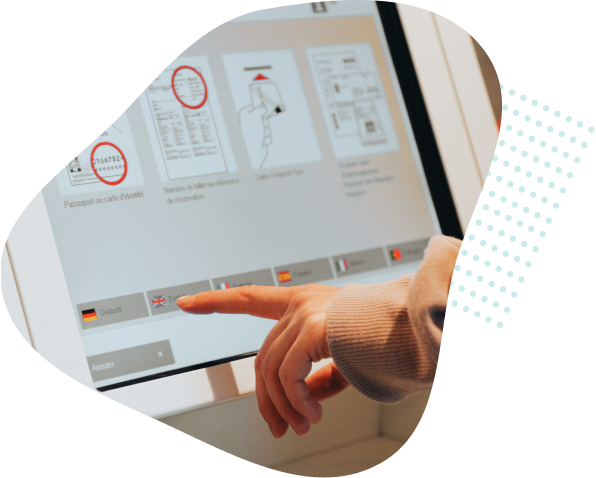
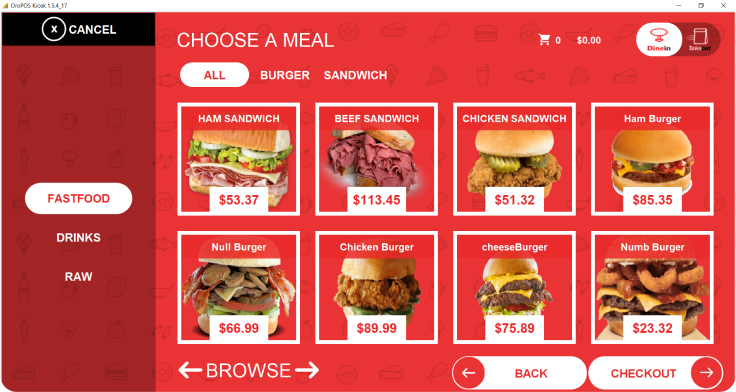
A kiosk is a terminal facing the guest instead of the till operator. The guest browses the menu, configures their item, pays, and receives an order number. The order goes straight into the same queue a cashier would have created.
Everything downstream is unchanged. The kitchen receives an identical ticket, the reporting counts identical sales, and the payment settles through the same processor. What changes is who does the data entry — and that single change is where all the effects come from.
The four things that reliably change
1. Average ticket goes up
This is the most consistent effect, and the mechanism is simple. A kiosk offers every upsell, every time, without embarrassment. It never forgets to ask about a side, never rushes because there is a queue, and never skips the add-on because the guest looked impatient.
A person ordering at a screen also takes slightly longer, browses more of the menu, and is more willing to customise. Nobody feels judged for asking for extra sauce on a touchscreen.
2. Queues change shape, not always length
A single kiosk does not process orders faster than a good cashier. What it does is parallelise. Three kiosks mean three guests ordering at once, so the queue drains in bursts rather than a steady trickle.
The knock-on effect is that pressure moves to collection. If you install kiosks and do not rethink where guests wait and how orders are called, you replace a queue at the till with a crowd at the pass.
3. Labour moves, it does not vanish
Kiosks do not remove staff. They move them. The cashier role shrinks and two other roles grow: someone helping guests who are unfamiliar with the screens, and someone running orders to the counter or table.
Restaurants that plan for that redeployment do well. Restaurants that cut a shift on day one usually end up with a confused dining room and slower service than before.
4. The kitchen gets busier at the same covers
More customisation means more modifiers, and more modifiers mean more to read on every ticket. If your kitchen is already the bottleneck, a kiosk will make that more visible, not less. Pair a kiosk rollout with a kitchen display system if tickets are already stacking up.
Where a restaurant self service kiosk earns its money
A restaurant self service kiosk pays back fastest in a specific set of conditions:
- High volume, short menu. Quick service, fast casual, counter-service cafes. See our notes on QSR POS systems for how this fits a fast operation.
- Peaks that overwhelm your tills. If you lose customers to the queue at lunch, parallel ordering is worth more than any upsell.
- Menus with real customisation. Build-your-own bowls, burgers and pizzas benefit most, because configuring on a screen beats describing it to a cashier.
- Areas with hiring difficulty. If you cannot reliably staff a till, a kiosk is a capacity decision rather than a cost-cutting one.
It pays back slowest in full table service, in venues where the interaction is the product, and in small dining rooms where the walk to the counter was never the problem.
The questions to ask before buying
| Question | Why it matters |
|---|---|
| Does it use the same menu as my POS? | Two menus means two places to update prices, and they will drift |
| What happens if the internet drops? | A kiosk that cannot take an order offline is a dead screen at the worst moment |
| Can it take cash? | Cash-only guests are excluded unless you keep a staffed till |
| How are modifiers handled? | Poor modifier design is the main cause of wrong orders from kiosks |
| Is it accessible? | Screen height, contrast and text size affect who can use it unaided |
| Who owns the hardware? | Subsidised kiosks usually mean a multi-year processing contract |
The first question is the one that quietly matters most. A kiosk that runs off a separate menu database will fall out of sync with your POS within weeks, and the guest will find the mismatch before you do.
How ORO Kiosk fits
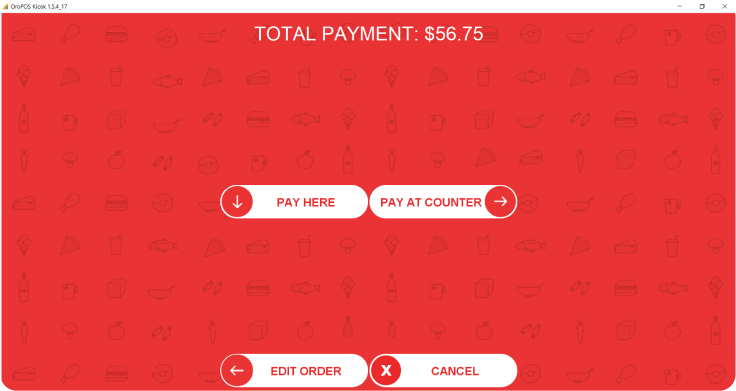
ORO Kiosk is part of the ORO POS family, which means it reads the same menu, sends tickets to the same kitchen queue and reports into the same sales figures as the rest of the system. There is no second menu to maintain and no reconciliation between two sets of numbers.
If you are still choosing the underlying system, our overview of POS system software covers what the platform should be doing before you add a guest-facing layer on top.
What a self-order kiosk system costs to run
Hardware is the visible cost and rarely the largest one. A kiosk enclosure with a screen and a card reader typically runs from a few hundred dollars for a tablet-based unit to several thousand for a floor-standing terminal. Budget also for mounting, power and a network drop to each position.
The recurring costs are easier to overlook:
| Cost | Notes |
|---|---|
| Software licence per kiosk | Often charged per screen, not per site |
| Card processing | Same rate as your counter, but on a larger share of orders |
| Paper and consumables | Order-number slips add up at volume |
| Cleaning | A guest-touched screen needs wiping through service |
| Support cover | A dead kiosk at lunch has to be fixable in minutes |
Against that, the return comes from two places: the increase in average ticket, and the covers you no longer lose to the queue. Both are measurable, which is why the before-and-after measurement below matters more than any vendor projection.
Four mistakes that spoil a rollout
- Cutting staff on day one. The savings are real but they arrive in month three, once guests have adapted. Cut early and service suffers while adoption is still low.
- Putting the kiosk where the queue was. Kiosks need space around them for people to browse without blocking the door.
- Porting the full menu unchanged. A menu that works on a printed board is usually too deep for a screen. Guests abandon orders in long category trees.
- No fallback. If the kiosk is the only way to order, an outage closes the restaurant. Keep a staffed position that can take an order.
A realistic rollout
- Start with two. One kiosk tells you nothing about queue behaviour. Two tells you a lot, and is cheap to reverse.
- Keep one staffed till. For cash, for accessibility, and for guests who simply prefer a person.
- Station someone beside them for the first fortnight. Adoption is a habit problem, not a technology problem.
- Redesign the collection point before launch, not after. This is the step most restaurants skip.
- Measure average ticket and covers per hour for two weeks before and after. Those two numbers tell you whether it worked.
A self-order kiosk system is a genuine improvement for the right operation and an expensive distraction for the wrong one. The deciding factor is almost never the kiosk itself — it is whether your kitchen and your collection point can absorb what the kiosk sends them.